
How Ramdisks Work in iPhone Diagnostics
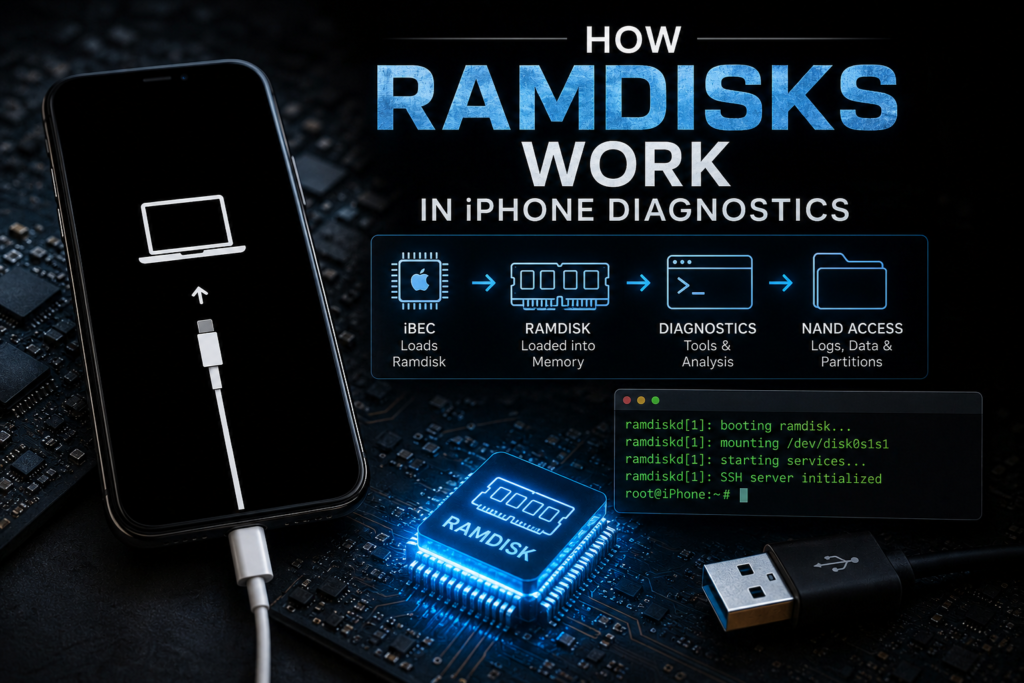
In iPhone repair, forensic analysis, and exploit workflows, ramdisks are one of the most important low-level tools.
They allow technicians to boot a temporary operating environment entirely in memory without booting the installed iOS.
This is extremely powerful.
With a ramdisk, you can:
- access NAND directly
- read panic logs
- inspect activation files
- perform hardware diagnostics
- dump partitions
- extract device information
- run custom tools
For modern iPhone technicians, understanding ramdisks is essential.
Especially in the checkm8 era.
What is a Ramdisk?
A ramdisk is a filesystem loaded entirely into RAM.
Instead of booting from NAND storage:
Normal boot:
BootROM → iBoot → Kernel → NAND filesystem
Ramdisk boot:
BootROM → iBSS → iBEC → Kernel → RAM filesystem
This changes everything.
The device temporarily ignores its installed system and runs a temporary environment.
Nothing is permanently written unless you explicitly do it.
Why Apple Uses Ramdisks
Apple itself uses ramdisks.
Mainly for:
- firmware restore
- diagnostics
- factory testing
- internal servicing
Examples:
- Restore Ramdisk
- Update Ramdisk
- Diagnostic Ramdisk
These are official Apple workflows.
Technicians later adapted the concept.
Where Ramdisks Load in the Boot Chain
Boot flow:
BootROM
↓
iBSS
↓
iBEC
↓
Ramdisk
↓
Temporary Environment
Important:
Ramdisks are loaded by iBEC.
Not BootROM.
Not iBSS.
This is why iBEC patching matters.
Related:
iBSS and iBEC Explained
How a Ramdisk Boots Internally
The process is very structured.
Step 1: Device Enters DFU
Device starts in:
BootROM DFU mode.
USB PID:
0x1227
BootROM waits for host commands.
This is where tools like:
- checkra1n
- palera1n
- ipwndfu
begin.
Step 2: BootROM Loads iBSS
Host sends:
- signed or patched iBSS
BootROM verifies.
Then executes.
iBSS initializes:
- DRAM
- USB
- hardware clocks
Step 3: iBSS Loads iBEC
iBSS verifies iBEC.
Then jumps execution.
Now iBEC controls restore logic.
This is the important transition.
Step 4: iBEC Loads Kernel + Ramdisk
iBEC receives:
- kernelcache
- devicetree
- trustcache
- ramdisk image
It prepares memory mappings.
Then mounts the ramdisk into RAM.
This becomes the temporary root filesystem.
Step 5: Kernel Boots Into Ramdisk
Now the kernel starts.
But instead of NAND root:
it mounts the RAM filesystem.
Result:
Temporary live environment.
This is the diagnostic system.
Ramdisk Components
A typical ramdisk contains:
1. Minimal Root Filesystem
Contains:
- /bin
- /sbin
- /usr
- /dev
- /private
Small but functional.
2. Diagnostic Tools
Examples:
- mount
- fsck
- nvram
- ioreg
- sysdiagnose
Used for troubleshooting.
3. SSH Server
Custom technician ramdisks often include:
- dropbear
- sshd
This enables remote shell.
Very common in repair shops.
4. Hardware Access Tools
Custom tools may read:
- NAND
- baseband
- serial
- battery stats
- sensors
Useful for board-level diagnostics.
Types of iPhone Ramdisks
1. Restore Ramdisk
Official Apple restore environment.
Used during IPSW restores.
Responsibilities:
- partition NAND
- write firmware
- verify system files
This is the default restore ramdisk.
2. Diagnostic Ramdisk
Apple internal testing environment.
Used for:
- sensor tests
- hardware tests
- calibration
Rarely public.
Very powerful.
3. SSH Ramdisk
Custom technician favorite.
Built for:
- data extraction
- activation analysis
- panic log pulling
- NAND access
Very common in checkm8 workflows.
Why Ramdisks Matter for Diagnostics
This is where real technician power begins.
Panic Log Analysis
Access:
/private/var/logs/CrashReporter/
Read:
kernel panics.
Useful for:
- CPU faults
- NAND faults
- sensor failures
- thermal faults
Related:
Panic Log Analysis for Hardware Fault Detection
Activation Analysis
Inspect:
- FairPlay files
- activation records
- lockdown files
Useful for:
- activation failures
- setup crashes
NAND Diagnostics
Read:
- partition tables
- mount errors
- bad blocks
- filesystem corruption
Very important for storage issues.
Related:
iPhone NAND Architecture
Baseband Analysis
Read:
- modem logs
- firmware state
- IMEI config
Useful for no-signal devices.
Why checkm8 Made Ramdisks Popular
Before checkm8:
Custom ramdisks were hard.
After checkm8:
BootROM exploit allows:
- patched iBSS
- patched iBEC
- unsigned ramdisks
This changed repair forever.
Now technicians can:
- boot custom environments
- access protected partitions
- run forensic tools
This is huge.
Common Ramdisk Workflow
Example:
- Enter DFU
- Trigger checkm8
- Upload patched iBSS
- Upload patched iBEC
- Upload kernelcache
- Upload SSH ramdisk
- Boot device
- Connect over SSH
- Pull logs
- Analyze hardware state
Standard modern workflow.
Risks of Ramdisk Use
Important.
Wrong iBEC
Wrong version can fail boot.
Wrong Trustcache
Kernel may panic.
Unsupported Device
Some protections vary.
Accidental NAND Writes
Can corrupt user data.
Always be careful.
Technician Tips
Use ramdisks for:
✅ panic logs
✅ NAND checks
✅ activation debugging
✅ filesystem repair
✅ device info extraction
✅ sensor diagnostics
✅ data triage
Avoid unnecessary writes.
Prefer read-only operations first.
FAQ
Does a ramdisk modify iPhone data?
Not unless you write changes.
Ramdisks run in memory.
Can ramdisks bypass iCloud?
No.
They can inspect activation files, not remove legitimate protections.
Do ramdisks need checkm8?
Custom unsigned ones usually do.
Does iBEC load ramdisks?
Yes.
That’s its primary restore function.
Internal Linking Suggestions
Link this article to:
- Recovery Mode vs DFU Mode
- iBSS and iBEC Explained
- How checkm8 Works Internally
- Panic Log Analysis for Hardware Fault Detection